
Learning Courses, Certifications, Processes
Learning Generative AI Courses Online: A Guide

Eric Walker
September 22, 2025Generative AI has moved from research labs into everyday products—writing assistants, image creators, code copilots, video tools, and more. If you’re considering learning it online, now’s a great time. The challenge is figuring out what to study, in what order, and which generative AI courses actually help you build skills that transfer to real projects or jobs.
This guide lays out a clear roadmap so you can pick the right courses, practice effectively, and avoid common pitfalls. By the end, you’ll know how to structure your learning, what tools to master, and how to showcase your skills.
Why learn Generative AI now?
- Hiring demand: Companies across sectors want people who can use and integrate generative models to speed up content creation, customer support, analytics, and prototyping.
- Rapid tools growth: From ChatGPT and Claude to Midjourney, Stable Diffusion, and Code LLMs, the ecosystem is expanding with APIs and no-code platforms.
- Low barrier to entry: You don’t need a PhD to be productive. With the right online courses and hands-on projects, you can build practical skills fast.
Core skills you’ll need
You can approach Generative AI from several angles: user, builder, and researcher. Most learners will benefit from the “builder” path—able to prompt, fine-tune, and ship small applications. Here are the key skills:
- Prompting fundamentals: System prompts, role hints, chain-of-thought variants, few-shot examples, guardrails, and evaluation. For images: composition prompts, negative prompts, control nets.
- Model literacy: Understanding tokenization, context windows, embeddings, temperature, top-p, and how diffusion models generate images.
- Tools and platforms: APIs (OpenAI, Anthropic, Google, etc.), vector databases (FAISS, Chroma, Pinecone), orchestration (LangChain, LlamaIndex), data labeling/cleaning.
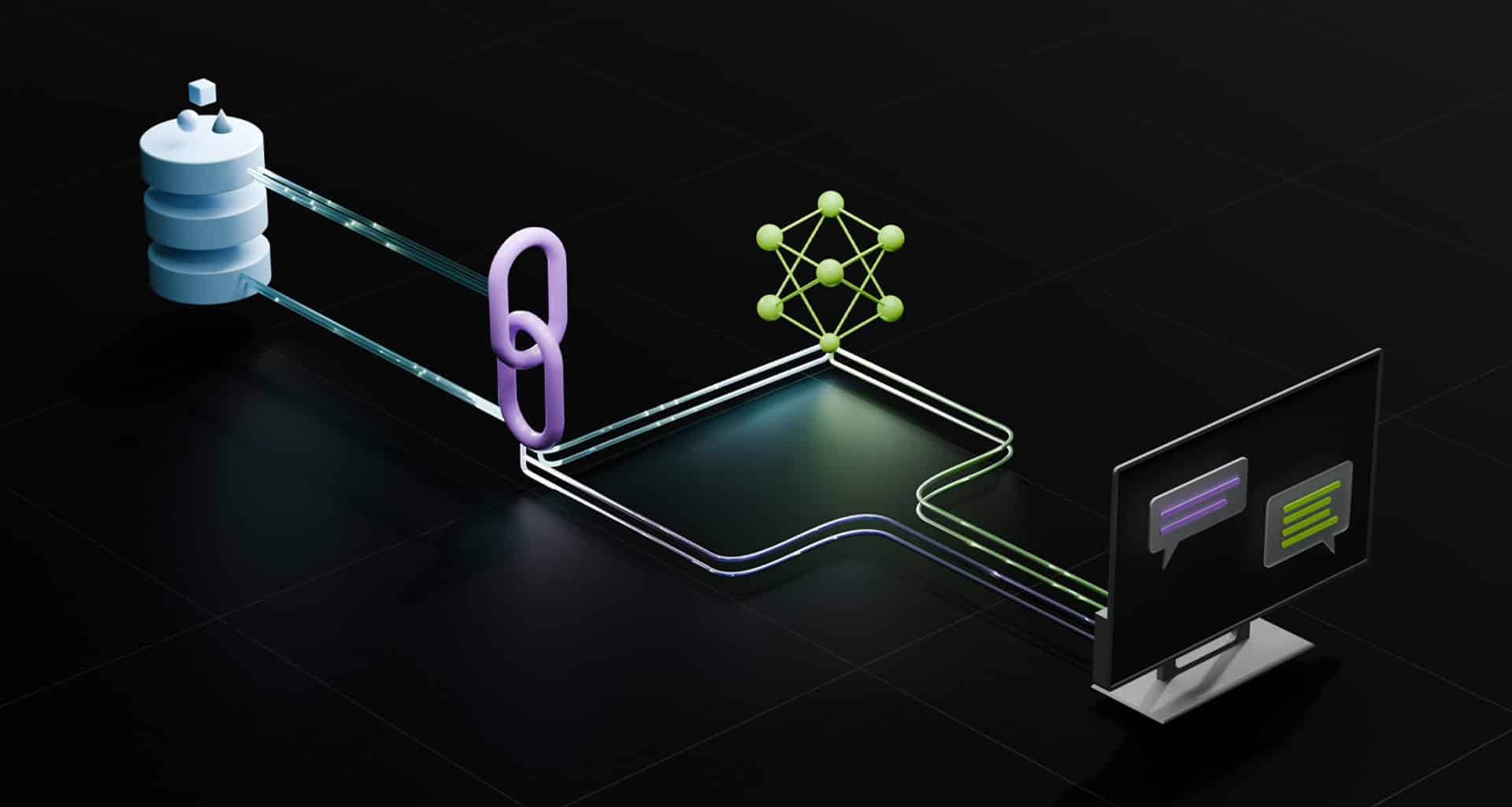
- Retrieval-Augmented Generation (RAG): How to connect models to your own data, chunking strategies, embedding quality, and query rewriting.
- Fine-tuning and adapters: LoRA/QLoRA, dataset preparation, evaluation, and overfitting pitfalls.
- Safety and compliance: PII handling, policy constraints, bias, and hallucination mitigation.
- Software plumbing: Python basics, packages, HTTP APIs, async calls, caching, and simple frontend deployment.
- Evaluation: Prompt tests, golden sets, automatic metrics, human-in-the-loop reviews.
Suggested learning path (6–10 weeks)
Week 1–2: Foundations and Prompting
- Goal: Use chat and image models effectively and understand basic parameters.
- What to learn:
- Text models: temperature vs. top-p, system vs. user prompts, few-shot examples.
- Image models: prompts (subject, style, lighting), negative prompts, upscaling.
- Basic ethics and safety: safe output requests, avoiding private data exposure.
- Practice:
- Draft blog posts, emails, and summaries with iterative prompting.
- Create 10–20 images with varied styles and seed values.
- Keep a prompt log: what worked, what didn’t, and why.
For Week 3–4: Build with APIs and RAG
- Goal: Ship a simple app that uses your data.
- What to learn:
- Calling LLM APIs with Python/JavaScript.
- Embeddings and vector search; chunk sizes, overlap, metadata.
- RAG pipeline: ingestion → splitting → embedding → retrieval → prompt assembly → response.
- Practice:
- Build a Q&A bot over PDFs or website docs.
- Add features: citation of sources, confidence scores, and feedback collection.
- Measure improvements by tweaking chunking and prompts.
Week 5–6: Fine-tuning and Evaluation
- Goal: Specialize a model for narrow tasks and quantify quality.
- What to learn:
- LoRA/QLoRA basics, dataset formatting (instruction-output pairs), train/val splits.
- Guardrails: allow/deny lists, regex filters, policy prompts.
- Evaluation strategies: golden datasets, pairwise comparisons, rubric scoring.
- Practice:
- Fine-tune a small open model for support replies or style transfer.
- Set up a simple evaluation dashboard to compare baseline vs. tuned model.
Week 7–10: Projects and Deployment
- Goal: Build portfolio-ready apps and learn operational basics.
- What to learn:
- Caching responses, cost monitoring, and latency optimization.
- Simple frontends (Streamlit, Next.js) and hosting (Vercel, Hugging Face Spaces).
- Data privacy and API key management.
- Practice:
- Ship 2–3 small apps: a document assistant, a marketing copy tool, and an image prompt helper.
- Add telemetry: log prompts, outputs, ratings, and error traces.
How to choose the right online courses
Look for courses that are practical, up-to-date, and include real projects. Use these criteria:
- Project-based: You should build apps, not just watch slides.
- Covers RAG and evaluation: These are the backbone of production LLM apps.
- Teaches both tools and concepts: You’ll want both prompt best practices and API know-how.
- Assignments with code: Notebooks, repos, and realistic datasets.
- Community support: Discord/Slack, office hours, or active Q&A forums.
- Maintained materials: Frequent updates to account for model and API changes.
Types of Generative AI courses worth taking
- Intro to Generative AI and Prompting
- Audience: Beginners, non-coders, product managers.
- Outcomes: Structured prompting, safety basics, text and image generation workflows.
- What to build: Content generation templates, image style guides, prompt libraries.
- LLMs for Developers (APIs, RAG, Tooling)
- Audience: Developers or technical learners.
- Outcomes: API usage, embeddings, vector stores, orchestration frameworks, RAG patterns.
- What to build: Document Q&A, chatbot with sources, retrieval over knowledge bases.
- Fine-tuning and Open-Source Models
- Audience: Intermediate devs or ML learners.
- Outcomes: LoRA/QLoRA training, datasets, model evaluation, cost/latency trade-offs.
- What to build: Task-specific assistant (support, code review, classification).
- Specialized Tracks
- Vision and diffusion: Image generation, ControlNet, LoRA for style.
- Multimodal apps: Text+image, audio transcription, simple video generation.
- Agents and tools: Function calling, tool-use policies, constrained decoding.
Suggested tech stack for your learning
- Languages: Python for backend, JavaScript/TypeScript for frontends.
- Key libraries:
- LLM orchestration: LangChain or LlamaIndex.
- Vector DB: FAISS (local), Chroma (simple), Pinecone/Weaviate (managed).
- Data handling: pandas, pydantic, jsonschema.
- Fine-tuning: Hugging Face Transformers, PEFT, bitsandbytes, Accelerate.
- Hosting: Hugging Face Spaces (quick demos), Vercel/Netlify (frontends), Render/Fly.io (APIs).
- Evaluation: Weights & Biases, MLflow, or simple spreadsheets with rubric scores.
- Safety and logging: Guardrails libraries or custom validators; add prompt/output logging with user ratings.
Hands-on project ideas to solidify learning
- PDF Research Assistant
- Upload PDFs, chunk them, embed with a vector store, and chat with citations.
- Add a “Show sources” toggle and a “Report hallucination” button.
- Style-Specific Writing Tool
- Provide a tone/style guide. Few-shot examples + constraints to generate drafts.
- Add a revision loop that accepts user feedback to refine outputs.
- Customer Support Triage
- Classify incoming messages, summarize, and propose responses with editable drafts.
- Include guardrails to avoid confident wrong answers and require source links.
- Image Prompt Explorer
- UI to tweak subjects, styles, camera angles, negative prompts, seeds.
- Save recipes that reproduce results.
- Fine-tuned FAQ Specialist
- Collect Q&A pairs, fine-tune a small model, and compare vs. pure RAG.
- Measure accuracy and time-to-answer on a test set.
Study strategies that actually work
- Learn by building: Watch a lesson, then immediately implement it in a small notebook or repo.
- Keep a prompt journal: Track iterations, parameters, and outcomes. Reuse good patterns.
- Set constraints: For each project, define metrics: response groundedness, latency, and cost per 100 requests.
- Share and get feedback: Post demos and code for critique; iterate based on user comments.
- Revisit fundamentals: As models change, revisit prompting and RAG basics. Keep your stack light and adaptable.
Common pitfalls and how to avoid them
- Overfitting prompts: A prompt that works on three examples may fail in the wild. Build test sets.
- Ignoring data quality: Messy documents lead to messy answers. Clean text, remove boilerplate, and chunk smartly.
- Skipping evaluation: If you don’t measure, you won’t know whether a tweak helps. Keep golden examples.
- Overcomplicating: Start with a simple pipeline. Only add agents, tools, or fine-tuning if you have evidence it’s needed.
- Security lapses: Never expose API keys. Avoid sending sensitive data to external services unless you have approvals.
How to showcase your skills to employers or clients
- Portfolio with 3–5 focused projects:
- Each project should have a one-page readme explaining the problem, approach, stack, and demo link.
- Include metrics: accuracy vs. baseline, latency, and cost.
- Public demos:
- Host on Hugging Face Spaces or a simple web app. Add a short Loom walkthrough.
- Blog or write-ups:
- Explain how you approached RAG, prompt engineering decisions, and evaluation.
- Contributions:
- Small pull requests to open-source AI repos or sharing reusable notebooks and datasets.
Estimated time and budget
- Time: 6–10 weeks part-time can get you from zero to a solid portfolio.
- Budget:
- Most course platforms have free tiers or low-cost bundles.
- API costs vary. Set hard limits. Cache aggressively during development.
- Compute for fine-tuning can be rented by the hour; start with small models.
Your first 30-day action plan
Week 1:
- Take an intro course on prompting (text + image).
- Practice daily: write, summarize, and generate images.
- Start a prompt log and a Git repo for notes.
Week 2:
- Complete a developer-focused module on APIs and embeddings.
- Build a basic RAG chatbot over 1–2 PDFs.
- Add source citations and a feedback button.
For Week 3:
- Improve retrieval quality: experiment with chunk sizes, hybrid search, and query rewriting.
- Add caching and monitor token usage and latency.
- Publish a demo (Hugging Face Spaces or simple web app).
Week 4:
- Attempt a small fine-tune on an open model (instruction tuning or style).
- Create an evaluation set and compare baseline vs. tuned.
- Write a short blog post and share your demo for feedback.
Final thoughts
Online courses can accelerate your path into Generative AI, but the real learning happens when you build, test, and iterate. Focus on the fundamentals—prompting, RAG, evaluation—and keep your projects scoped and measurable. With a handful of strong, public demos and clear write-ups, you’ll have both the skills and the proof needed to stand out.
All Tags
Loading...
Loading...